Edit Combine Configuration Values
Overview
NOTE: This is an advanced operation for users who operate a self-service Combine Deployment. If you have questions, contact your Combine Support Team.
Combine Configuration lets you change almost every aspect of Combine's behavior, often without a server restart. Combine Configuration is stored as a series of Configuration Values, each a pair of a parameter name and a parameter value.
Combine caches Configuration Values for a configurable duration (60 seconds by default). Some Configuration Values take effect only after a server restart.
Configuration Store
To override a Configuration Value, add an entry to the Combine Configuration table. This DynamoDB table is in the Master Region of your Combine Deployment.
| Combine Deployment | Table name |
|---|---|
| Without a Shard ID | combine-configuration |
| With a Shard ID | combine-<shard id>-configuration (with the Shard ID in lowercase) |
Configuration Value Schema
Each entry in the Combine Configuration table has these attributes:
| Attribute | Type | Description |
|---|---|---|
parameter_name | String | The name of the Configuration Value. |
parameter_value | String | The value of the Configuration Value. |
parameter_type | String (optional) | The parameter type. This attribute is for internal use only. Do not set parameter_type manually. |
You can add an entry with the form in the DynamoDB console. Be sure to add parameter_value as a new String attribute.
You can also add an entry in DynamoDB JSON. The general schema is:
{
  "parameter_name": {
    "S": "<parameter_name>"
  },
  "parameter_value": {
    "S": "<parameter_value>"
  }
}
For example, this entry sets combine.log.level (see Log Level) to VERBOSE:
{
  "parameter_name": {
    "S": "combine.log.level"
  },
  "parameter_value": {
    "S": "VERBOSE"
  }
}
Change a Configuration Value
In Combine 3.13 and later, you can edit Configuration Values in the TAP Dashboard. In earlier versions, edit them in the DynamoDB console.
Change a Configuration Value in the TAP Dashboard
NOTE: You must be an Admin in the TAP Dashboard to change a Configuration Value.
For example, suppose you want to change the session duration of CAP credentials and the duration of AWS Console sessions started from the TAP Dashboard. Two Configuration Values control these:
| Configuration Value | What it controls |
|---|---|
combine.tap.users.session.duration.limit | The maximum duration, in seconds, of CAP credentials. |
combine.tap.users.session.dashboard.duration.default | The duration, in seconds, of AWS Console sessions started from the TAP Dashboard. |
To change them:
-
Open the Metadata page. The Metadata link is in the footer of the TAP Dashboard, next to the Release Notes link.
NOTE: The Metadata link appears only when the
combine.tap.application.feature.metadataConfiguration Value istrue(the default isfalse). If you do not see the link, set this value in the DynamoDB console (see Change a Configuration Value in the DynamoDB Console).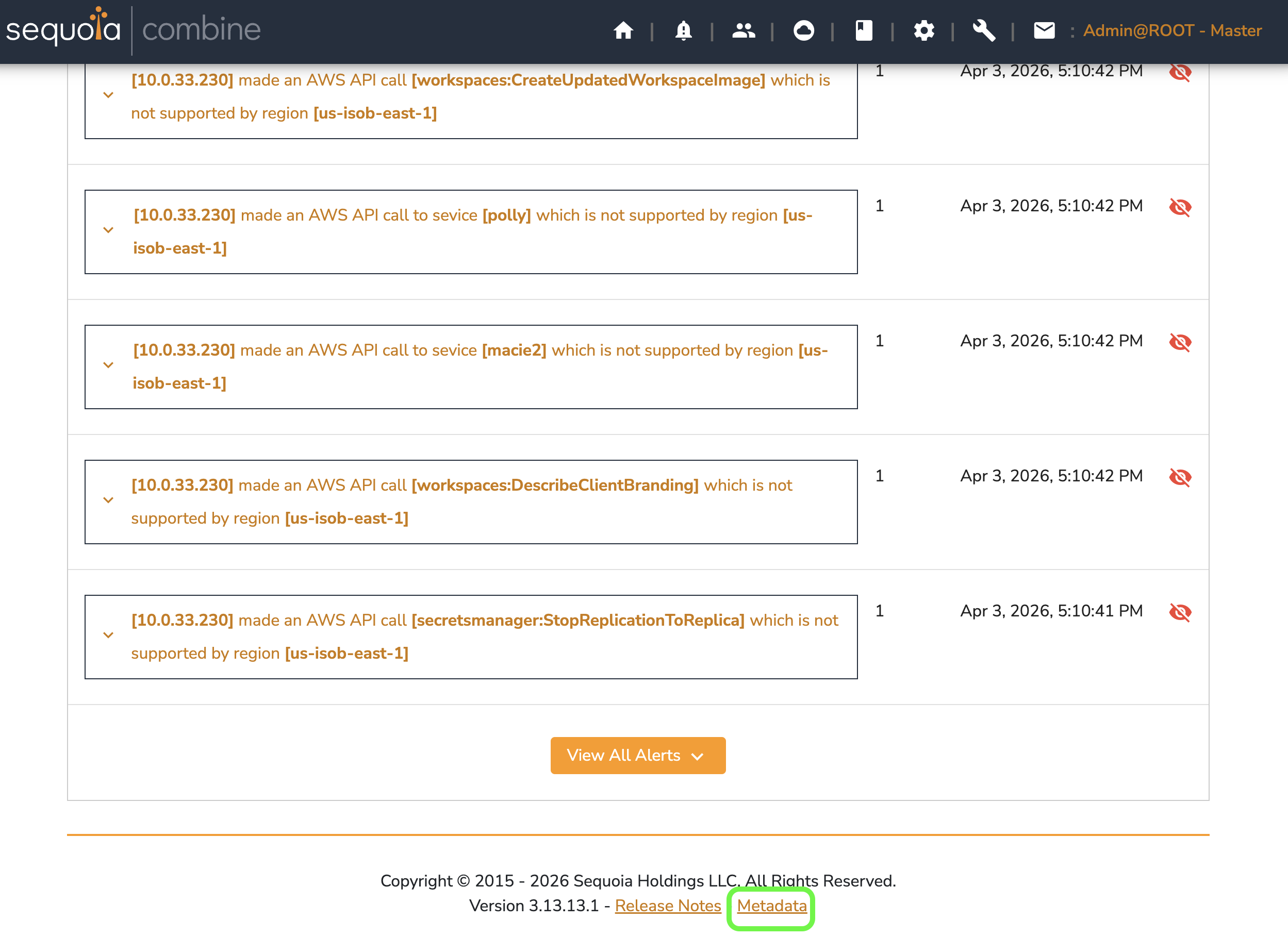
-
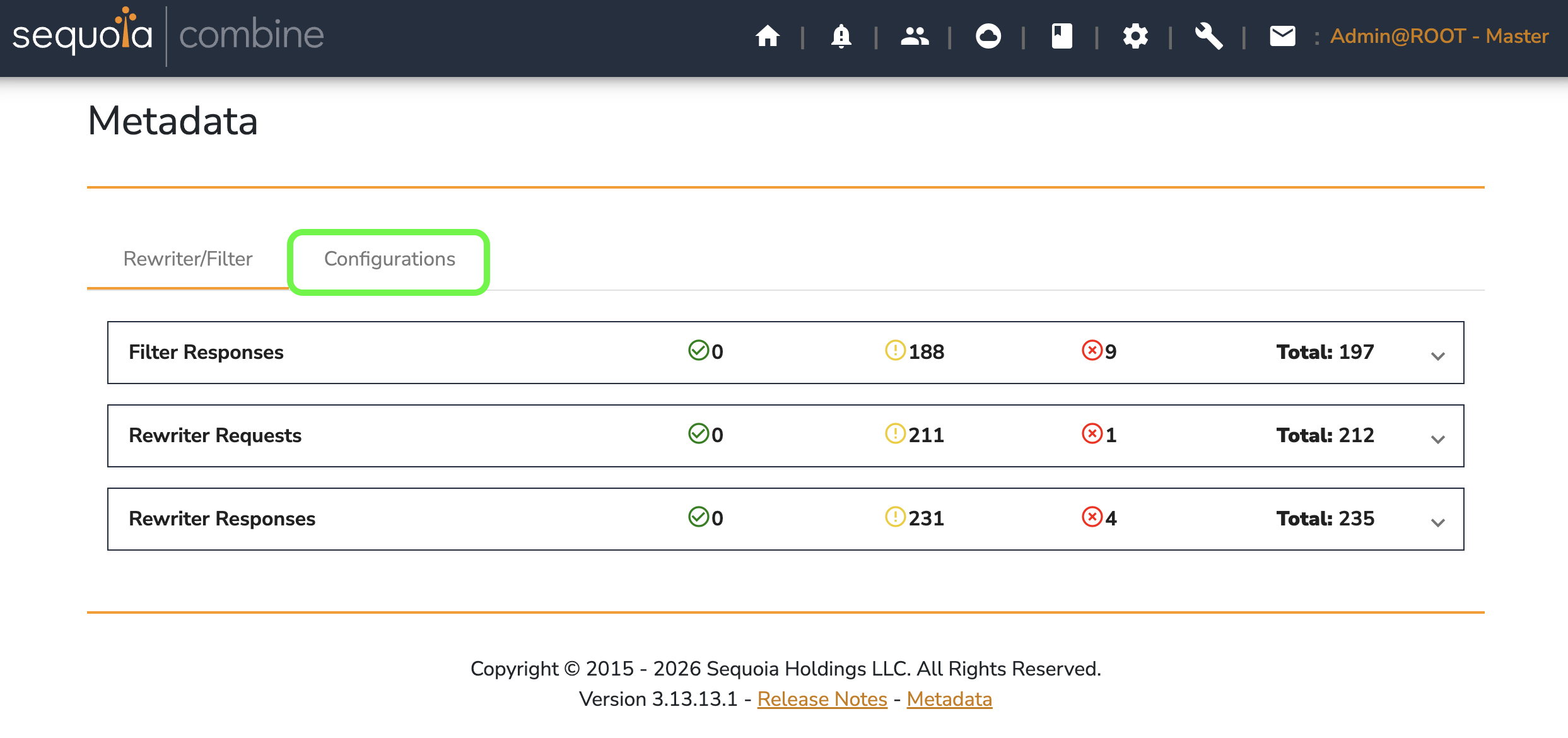
Choose the Configurations tab.
-
In the Search Configurations field, type part of the
parameter_name.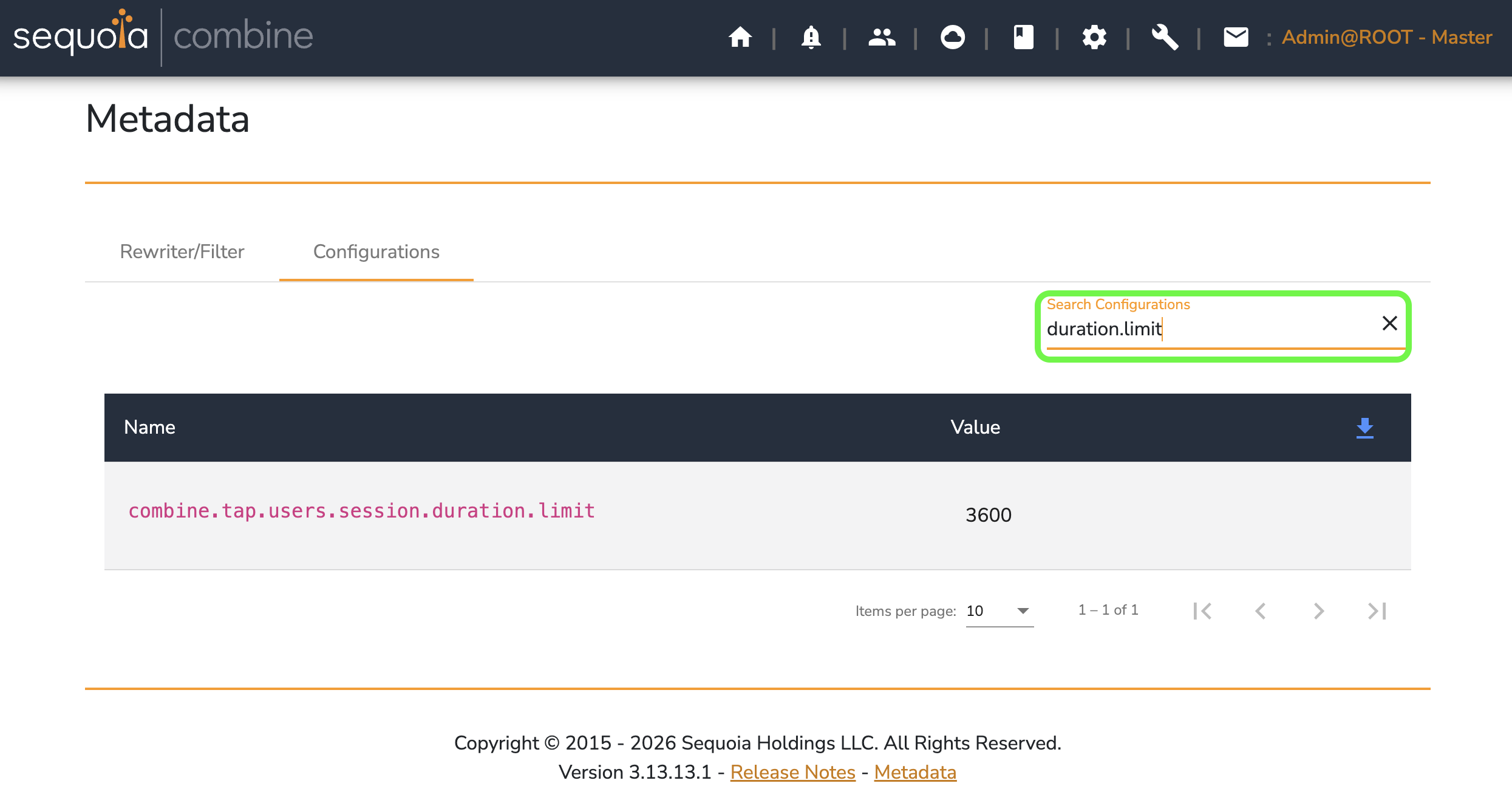
-
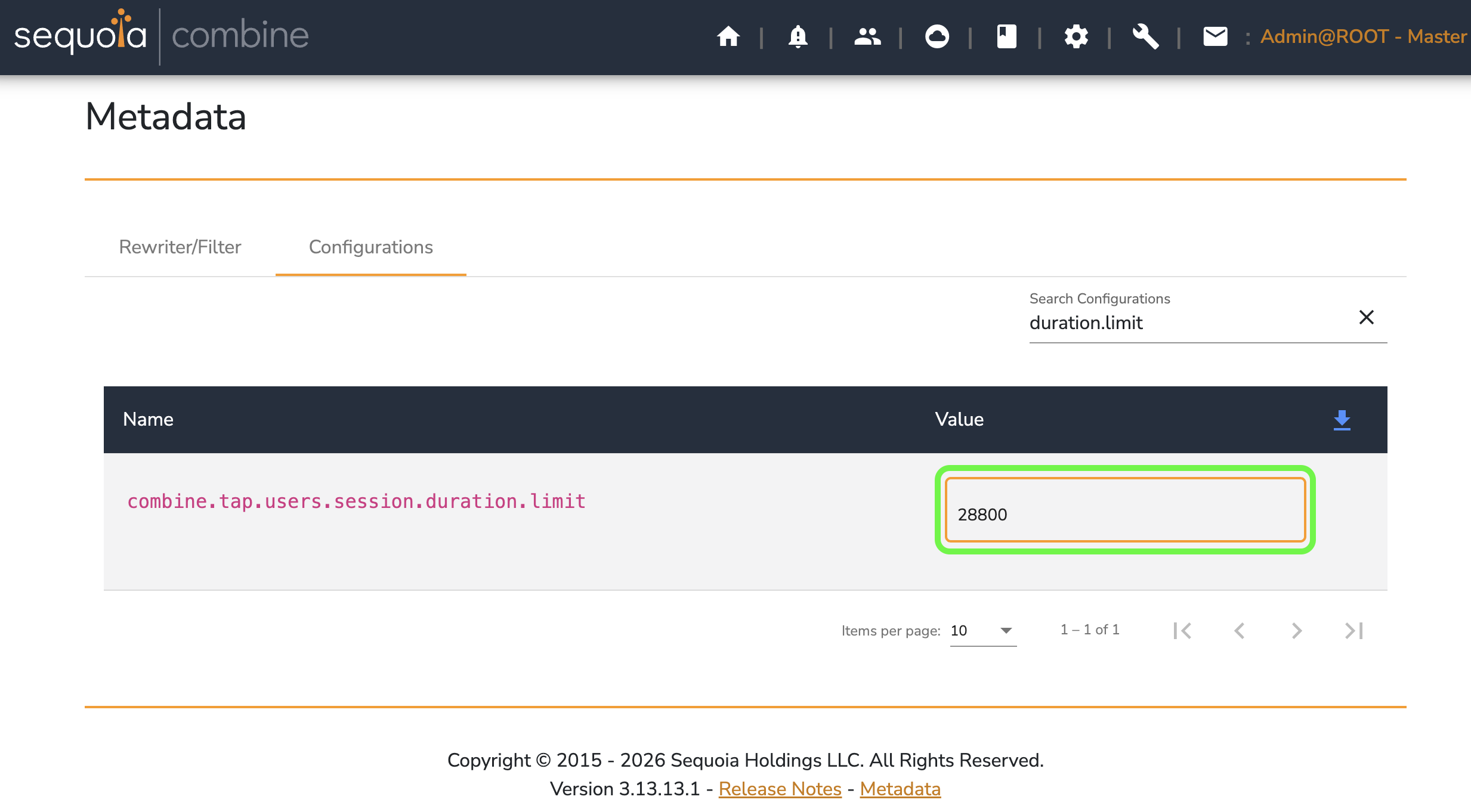
Enter the new value.
-
Press Enter to save the change.
Change a Configuration Value in the DynamoDB Console
-
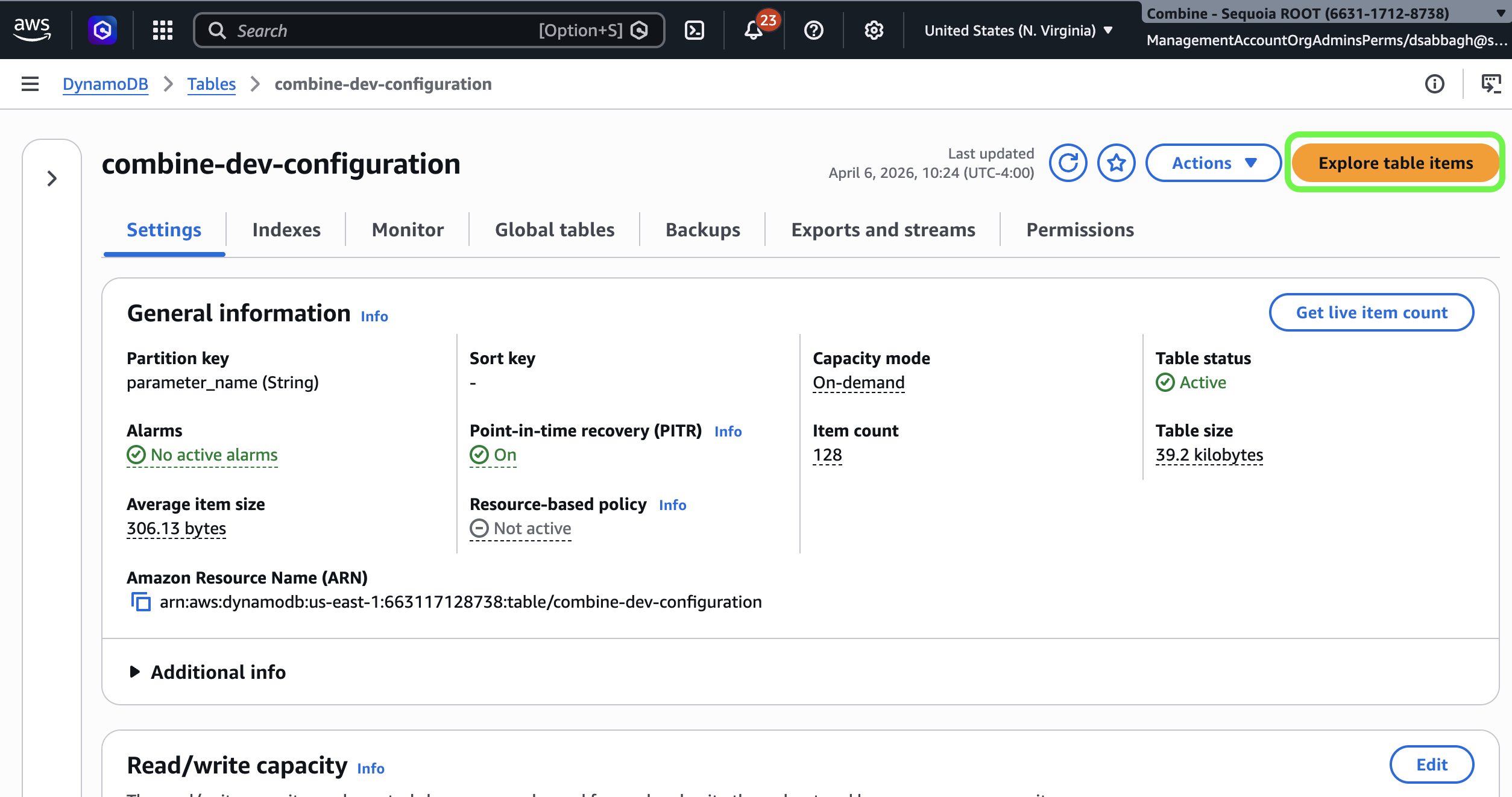
In the DynamoDB console, open your Combine Configuration table and choose Explore table items.
-
Expand Filters. Enter
parameter_namein the Attribute name field, change Condition to Contains, and type part of the Configuration Value name in the Value field. Then choose Run.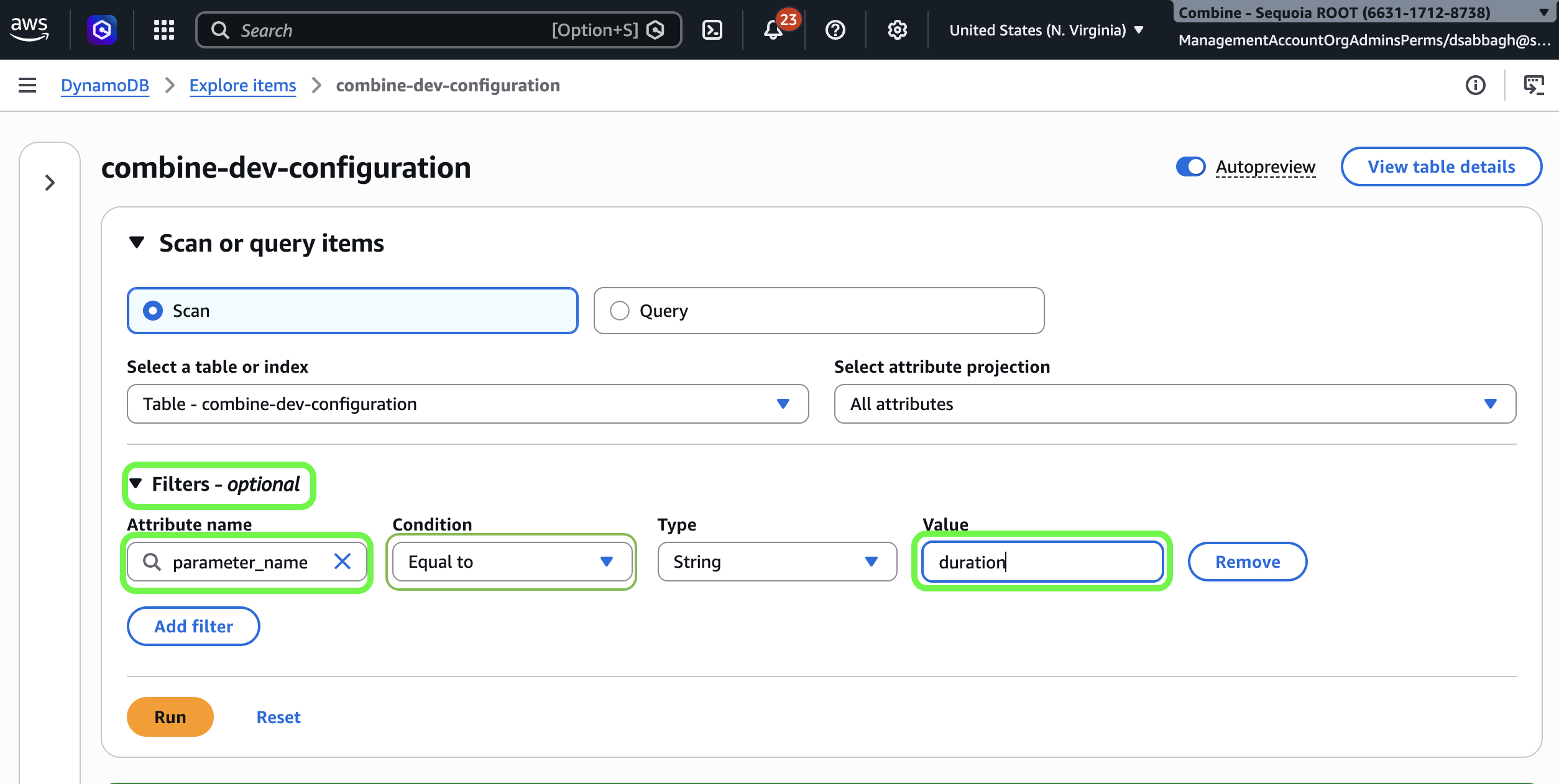
-
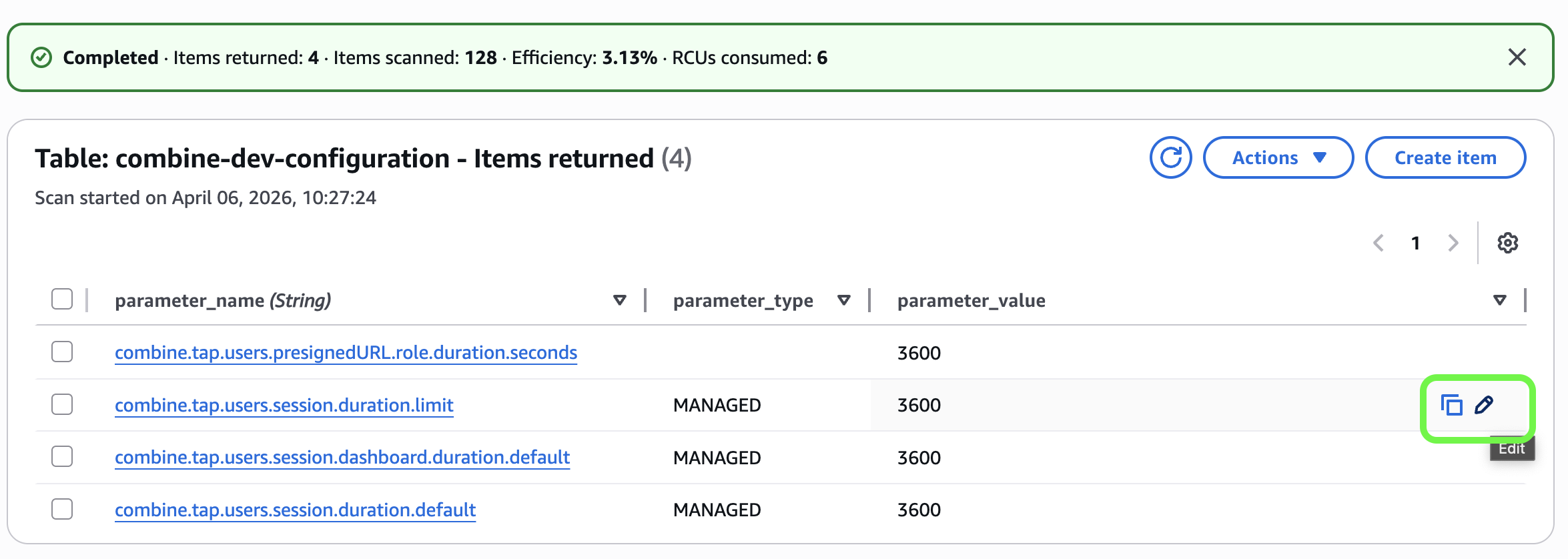
If the Configuration Value exists, choose Edit (the pencil icon on its row) and change it to the new value.
-
If the Configuration Value does not exist, choose Create item and create it with the attributes described in Configuration Value Schema. Make sure
parameter_valueis a String.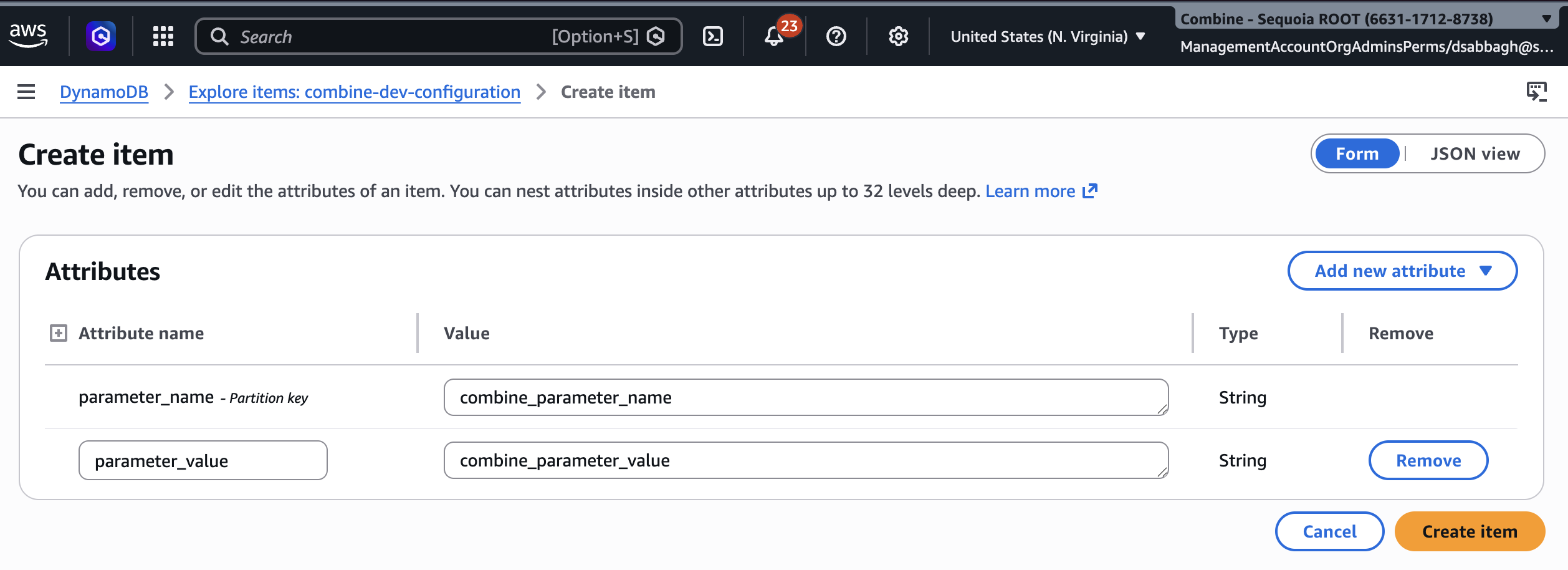
Whether you create or edit a Configuration Value, the change takes effect within 60 seconds, when Combine refreshes its cached Configuration Values. (Some Configuration Values take effect only after a server restart.)