Add TAP Role Mappings
A TAP Role Mapping connects the TAP Dashboard to an IAM Role in the underlying AWS Account.
After a TAP Role Mapping exists, you can assign it to a Combine User. The Combine User can then sign in to the underlying AWS Account's AWS Console through TAP Dashboard federation.
Several API integrations that are specific to US Government sponsored Partitions also use TAP Role Mappings.
When to Add a TAP Role Mapping
Combine initializes each Combine Deployment with a set of default TAP Role Mappings. In most cases these are sufficient, but you might need to add TAP Role Mappings in the following cases:
- You are adding a custom IAM Role to Combine (based on your Sponsor's direction). Add a TAP Role Mapping for this IAM Role so that your Users can assume it into the AWS Console.
- You are adding a Follower Account to a Leader Account in a multiple account topology. Combine initializes the Follower Account with a set of default TAP Role Mappings in the Leader Account. However, if you manually add an existing Combine account as a Follower Account, you may need to add them manually. (See Add Follower Account.)
Manage TAP Role Mappings
If your Combine User has the Admin or Super Admin role in the TAP Dashboard, you can create, edit, and delete TAP Role Mappings.
-
Click your User Name in the upper right and choose Admin Settings.
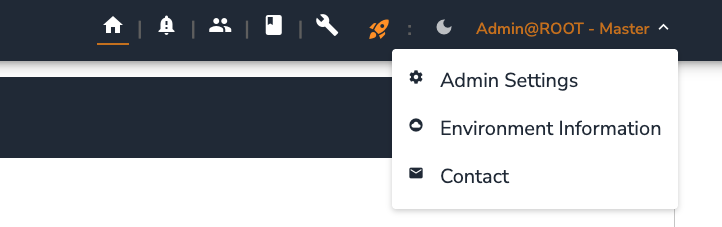
-
Choose TAP Role Mapping.
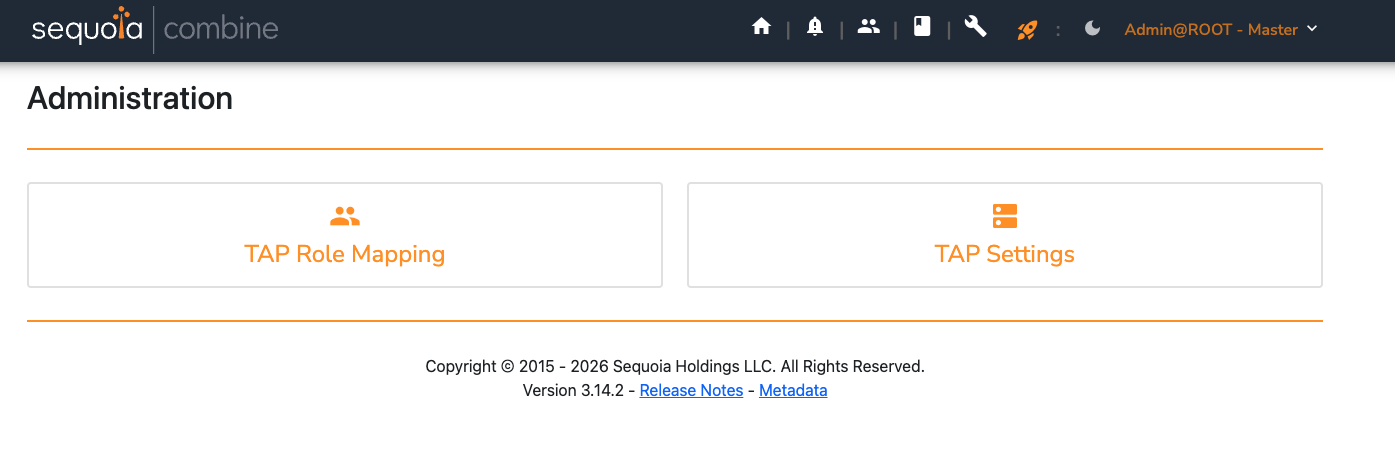
The AWS Roles page lists the existing TAP Role Mappings:
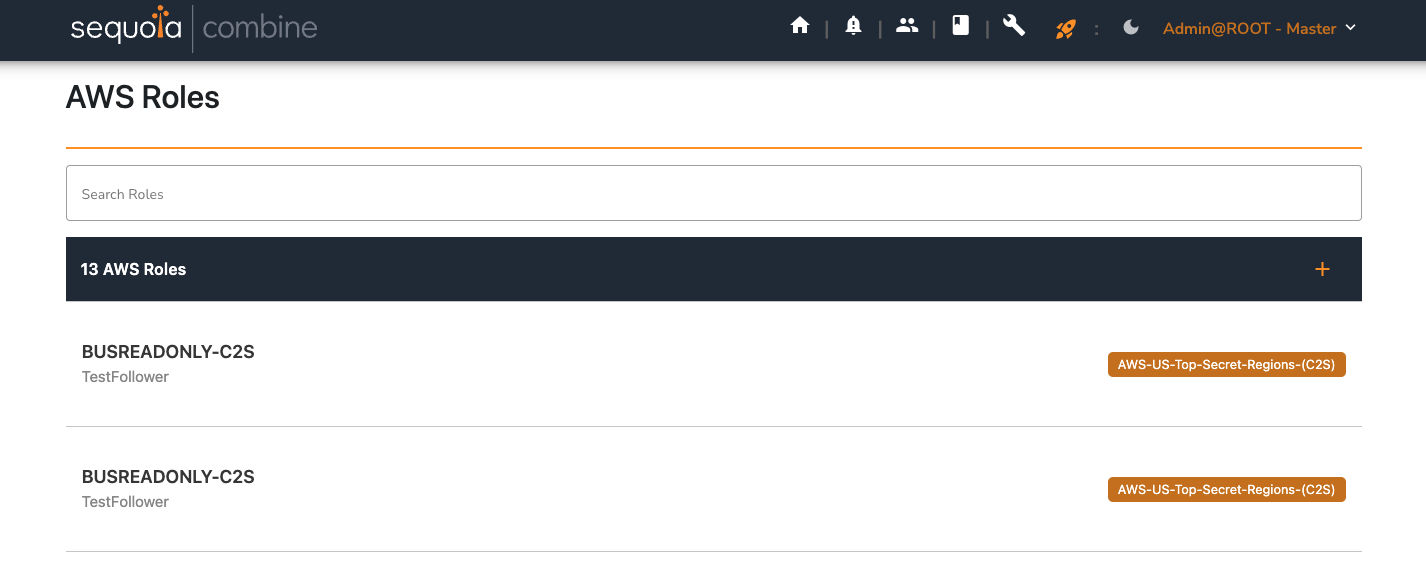
From the AWS Roles page:
- To create a TAP Role Mapping, click the + icon (Map AWS Role) in the upper right.
- To edit a TAP Role Mapping, click its name.
- To delete a TAP Role Mapping, click the delete (trash can) icon on its edit page.
TAP Role Mapping Fields
The TAP Role Mapping create and edit page has the following fields:
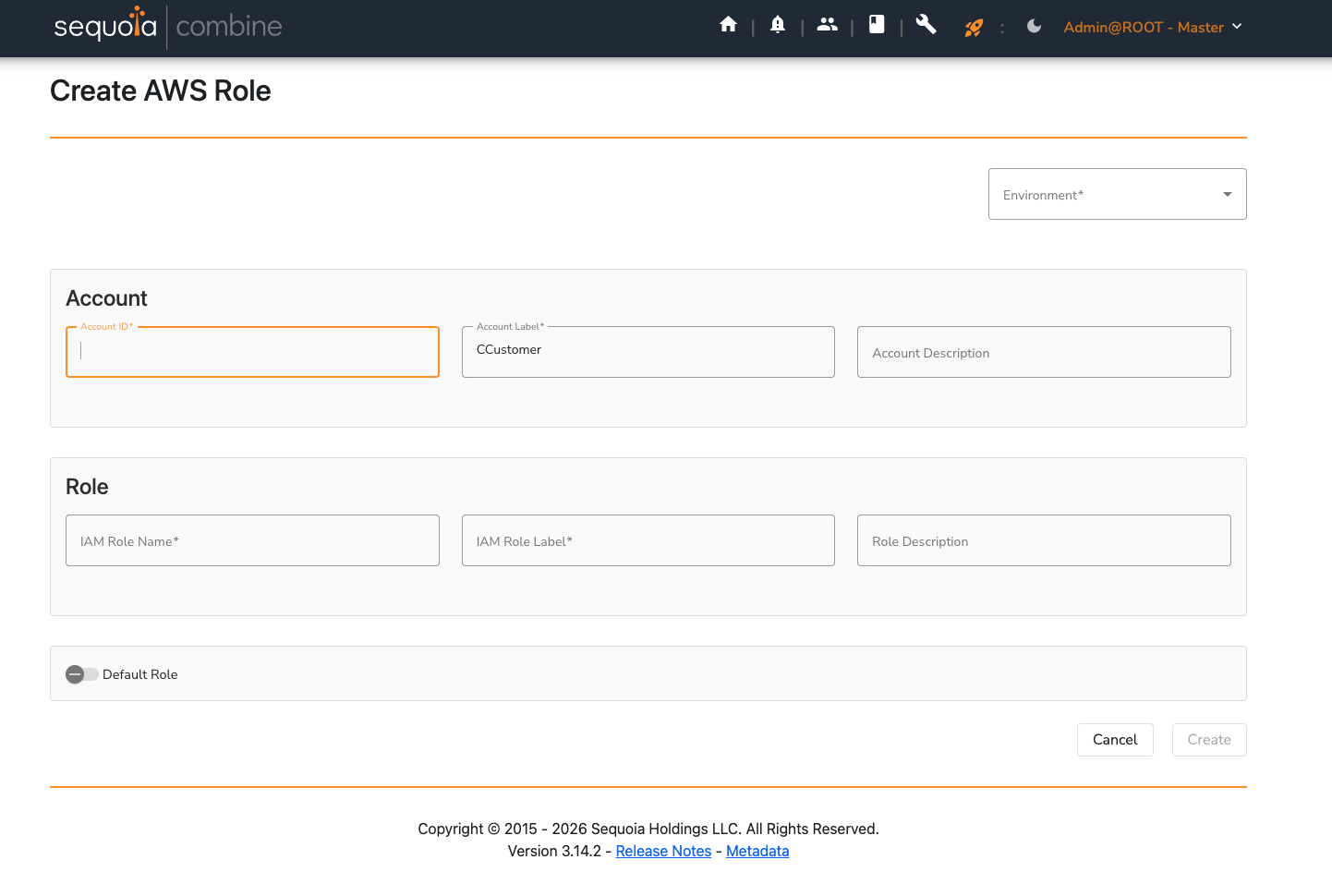
- Environment: The emulated Partition that this TAP Role Mapping applies to. This field will be removed in a future release of Combine, because Combine will only support a single emulated Partition in the future.
- Account ID: The AWS Account ID where the IAM Role resides.
- Account Label: An alias name for the AWS Account ID where the IAM Role resides. Certain API integrations specific to US Government sponsored Partitions use this value. If the TAP Role Mapping is only for TAP Dashboard Users, this can be a descriptive name for the account. It is displayed as the Account Name in the AWS Console Access List.
- Account Description: An optional description of the AWS Account. It is stored with the TAP Role Mapping but is not currently displayed in the AWS Console Access List.
- IAM Role Name: The actual name of the IAM Role in AWS (for example,
Combine-TS-WLDEVELOPER). - IAM Role Label: An alias name for the IAM Role. Like Account Label, certain API integrations specific to US Government sponsored Partitions use this value. If the TAP Role Mapping is only for TAP Dashboard Users, this can be a descriptive name for the role. It is displayed as the Role name in the AWS Console Access List.
- Role Description: An optional display name or description. It is displayed beneath the Role name in the AWS Console Access List to further assist TAP Dashboard Users.
- Default Role: When enabled, this TAP Role Mapping is pre-selected when you create a new Combine User. It is also automatically assigned to a new Combine User (or Server) that is created without any TAP Role Mappings selected.