Combine and non-HTTP/s Protocol Proxying
Combine excels at proxying HTTP and HTTPS traffic. However, some foundational services — such as Redis, PostgreSQL, and other TCP-based protocols — do not speak HTTP/S and therefore cannot be proxied directly by Combine.
That said, Combine can still provide secure, private access to these services by leveraging:
- Azure Private Endpoints
- Azure Private DNS Zones
- A Combine-managed DNS indirection layer
This pattern keeps all traffic private while giving customers a stable, Combine-owned DNS name for non-HTTP/S services.
High-Level Architecture
At a high level, the flow looks like this:
- The customer deploys a managed service (e.g., Azure Cache for Redis).
- The service is exposed privately via an Azure Private Endpoint.
- Azure creates a
privatelink.*Private DNS Zone mapping the service name to a private IP. - The Combine team creates an additional Private DNS Zone:
scombine.database.scloud - That zone maps the Combine-owned hostname to the same private IP, providing a stable entry point.
Example: Azure Cache for Redis
Resulting Hostname
From inside the VNet, Redis is accessed via the Combine-managed DNS name:
<redis-namespace>.redis.cache.cloudapi.scombine.database.scloud
This hostname ultimately resolves to the private endpoint IP of the Redis instance.
Step-by-Step Responsibilities
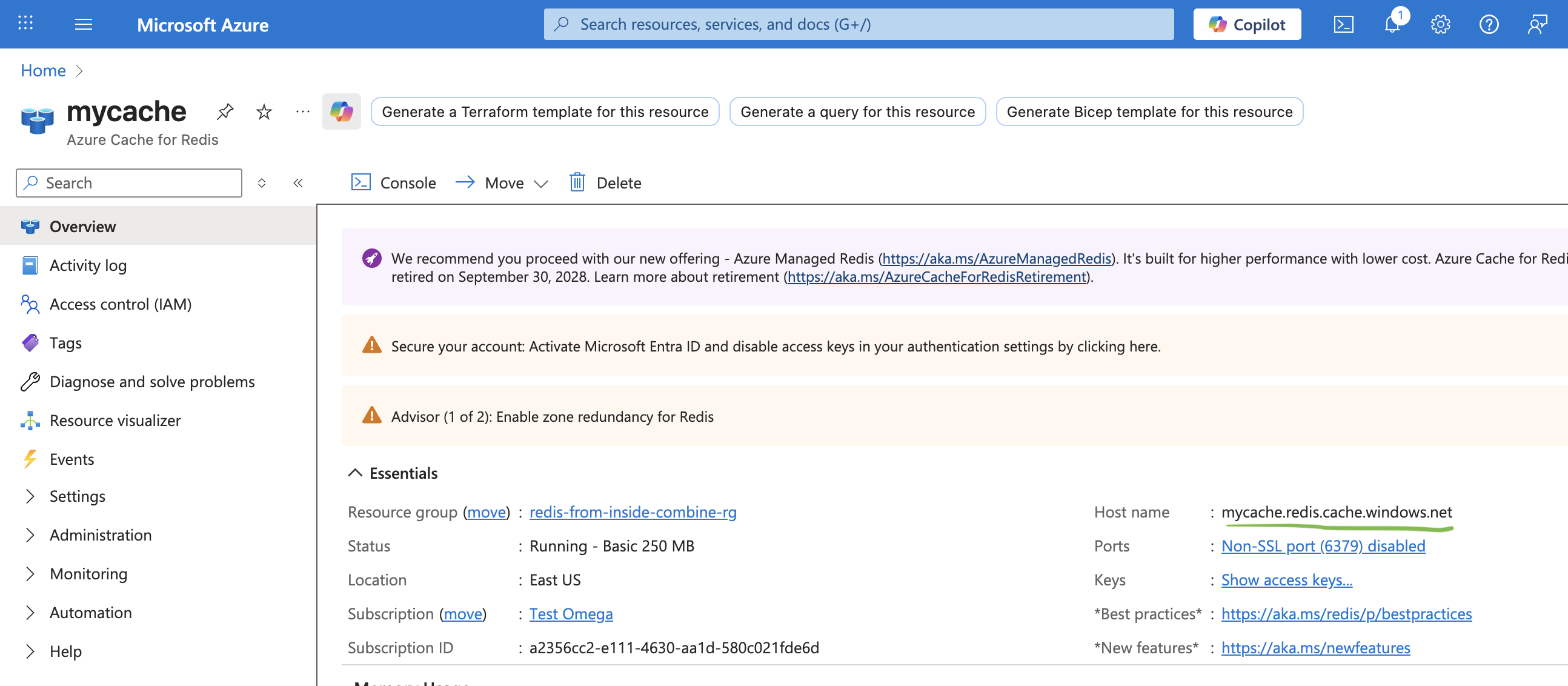
1. Customer: Create the Redis Cluster
The customer provisions an Azure Cache for Redis instance (or another non-HTTP/S service such as PostgreSQL).
Key notes:
- TLS must remain enabled
- Public network access may be disabled (recommended)
Example hostname: mycache.redis.cache.windows.net
2. Customer: Add a Private Endpoint
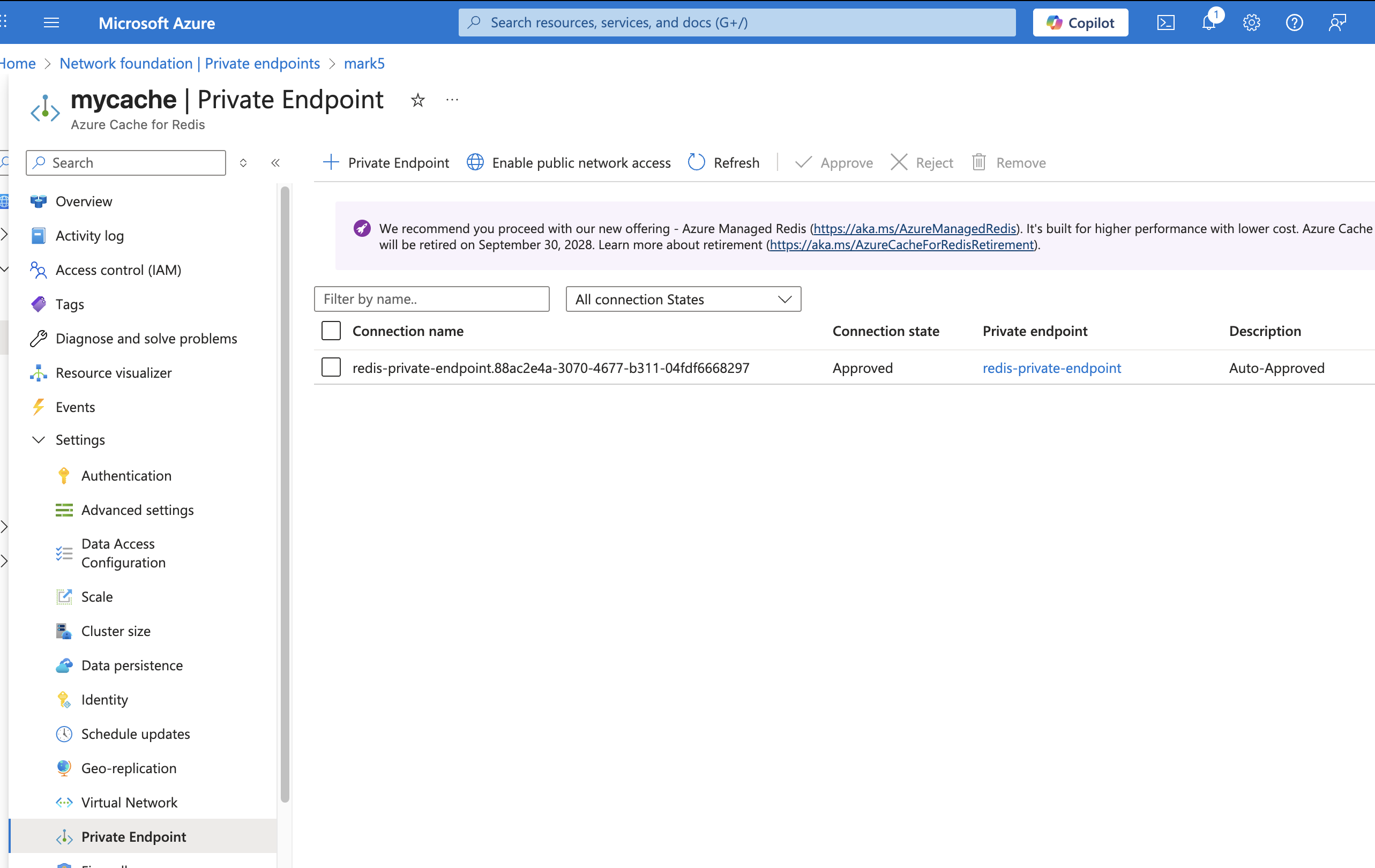
The customer creates a Private Endpoint for the Redis instance to allow access from within their VNet.
Azure automatically:
- Assigns a private IP address
- Creates (or links) a Private DNS Zone:
privatelink.redis.cache.windows.net
An A record is added similar to:
mycache → 10.3.104.4
- Private Endpoint attached to Redis
- Private DNS zone created by Azure
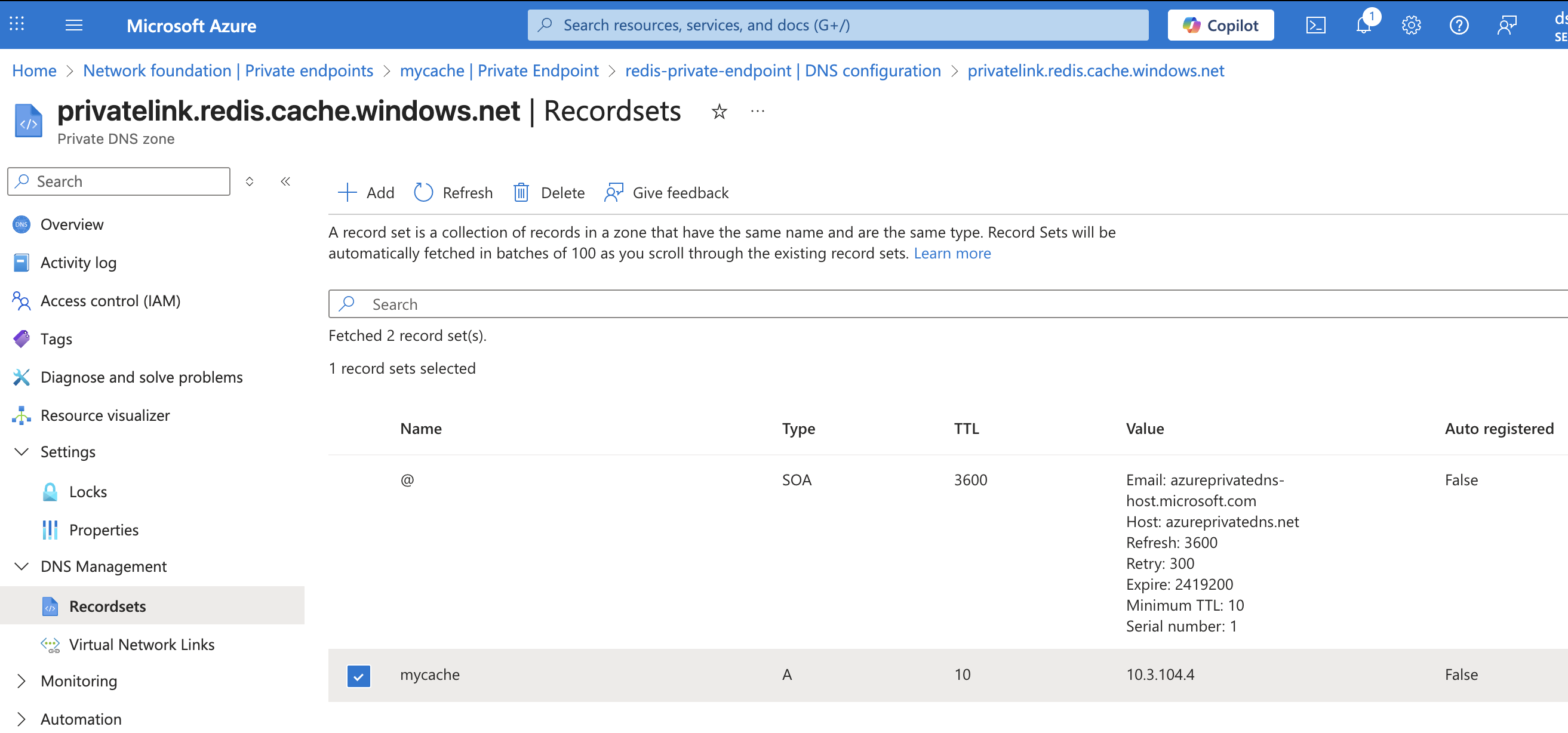
At this point, workloads inside the VNet can already resolve mycache.privatelink.redis.cache.windows.net, but of course this is not ideal since you would rather not use the commercial endpoints.
4. Combine Team: Deploy Combine DNS Indirection
The Combine team deploys (or updates) a Combine-managed Private DNS Zone: scombine.database.scloud pointing to the same IP address of the Private Endpoint
Within this zone, an A record is created:
mycache.redis.cache.cloudapi → 10.3.104.4
This DNS zone is linked to the same VNet(s) where Combine and customer workloads run.
Combine-managed Private DNS zone with custom A record
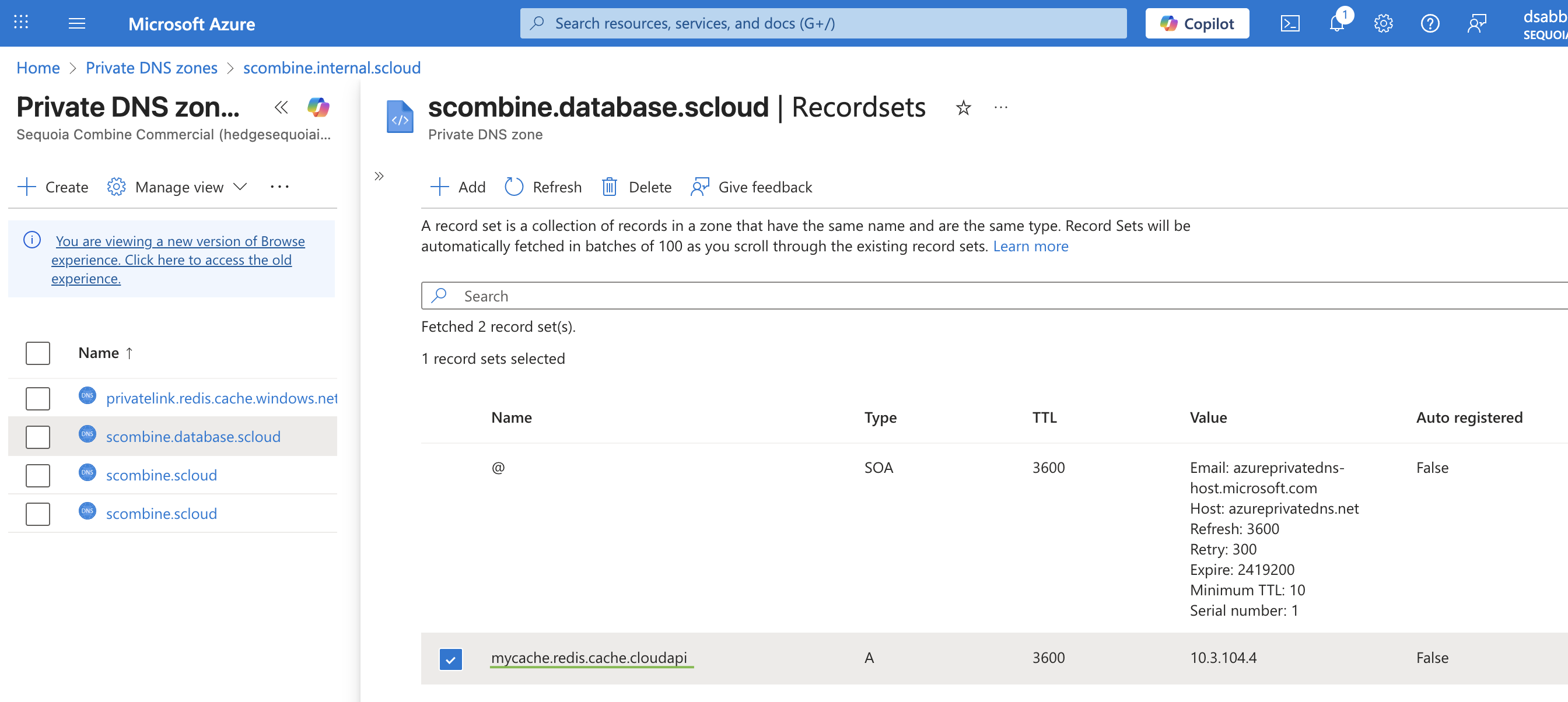
This is the key indirection step:
Combine does not proxy Redis traffic, but provides a stable DNS namespace that resolves privately to the service.
5. Customer: Connect Using the Combine DNS Name
From any workload inside the VNet, the customer can now connect using the Combine-provided hostname.
Example Redis CLI Command
redis-cli \
  -h mycache.redis.cache.cloudapi.scombine.database.scloud \
  -p 6380 \
  --tls \
  -a "<ACCESS_KEY>"


# example session
Warning: Using a password with '-a' or '-u' option on the command line interface may not be safe.
mycache.redis.cache.cloudapi.scombine.database.scloud:6380> PING
Supported Protocols
This approach works for any TCP-based service exposed via Azure Private Endpoint, including:
- Redis
- PostgreSQL
- MySQL
- Custom TCP services